CONTENTS
- Enabling feedback questionnaires
- Members completing feedback via email
- Members completing feedback via logging in
- Staff entering feedback
- Viewing feedback
Enabling feedback questionnaires
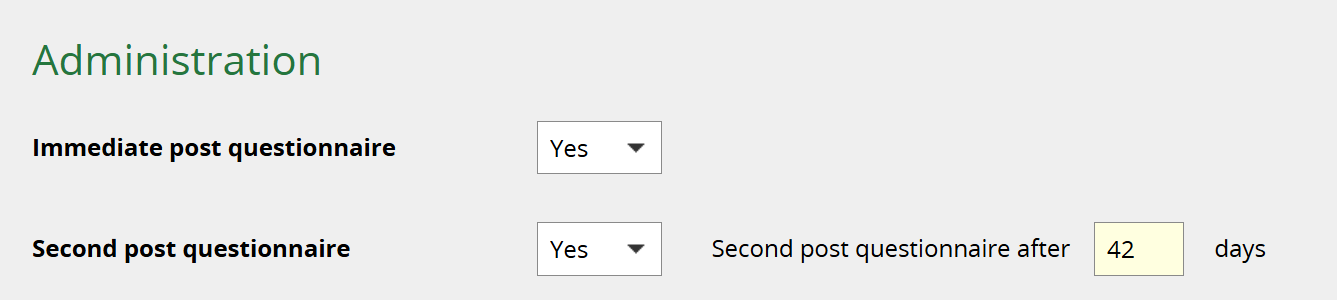
The option for a skills session to have feedback questionnaires is part of adding session templates and individual skills sessions. See How to add a Skills session template and How to add a Skills session.
A Skills session can have two feedback questionnaires:
1. Immediate post questionnaire
This is available as soon as the Member's attendance is registered, and a link is provided in the default attendance confirmation email.
2. Second post questionnaire
This is available after an interval of your choice, and a link is sent to attendees automatically after this interval.
Members completing feedback via email
If a Member clicks on the email link, they can complete the feedback questionnaire without having to log in.
Example email
Dear Mr Oak,
I hope you found my session on An introduction to Reflective Writing on 18 February 2026 useful.
We really appreciate feedback on our teaching both as an opportunity to improve and as evidence that we are making a difference.
If you have five minutes, please use our online form, to let us know what you thought (login not required). Please note that anonymous feedback may be used in promotion or reporting.
Thank you for your help
Rachel
Members completing feedback via logging in
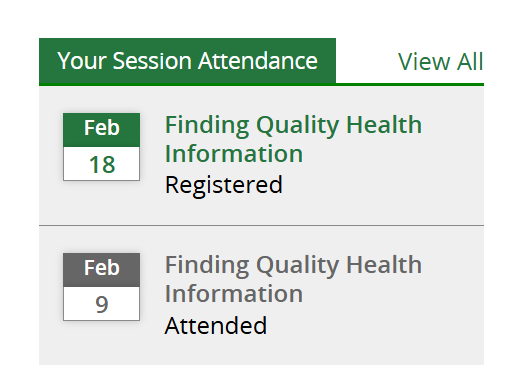
Members can also complete the feedback questionnaires by logging into their KnowledgeShare account. Skills sessions they have attended are listed on their home page.
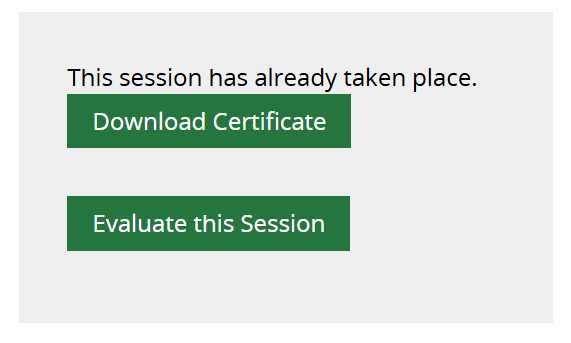
When clicking through to a session name, the attendee can choose to download their certificate and/or evaluate the session.
Staff entering feedback
You can enter questionnaire responses into KnowledgeShare on behalf of a Member if they have provided their feedback outside the system e.g. on a paper form.
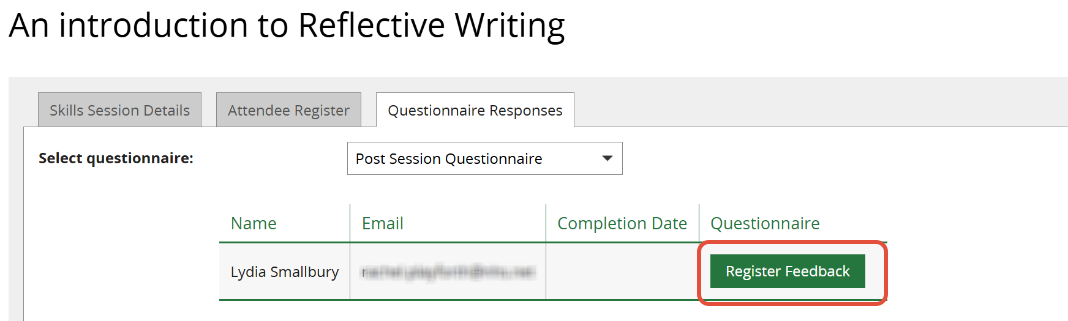
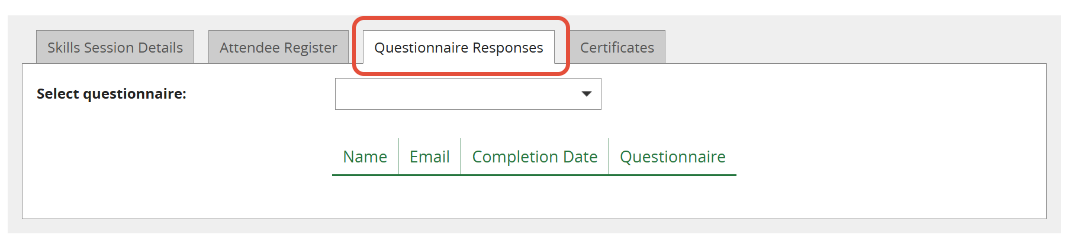
View the Skills Session and click on the Questionnaire Responses tab.
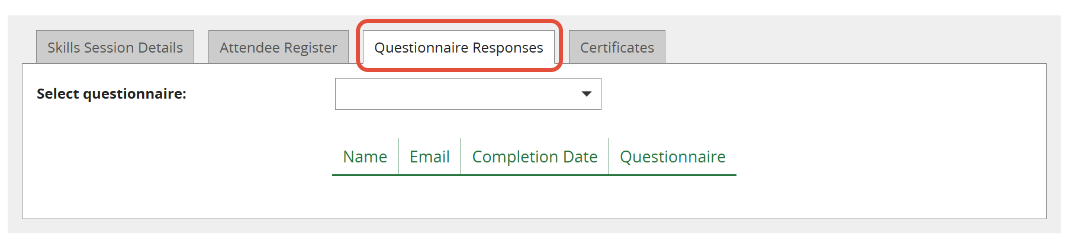
Select the relevant questionnaire and click Register Feedback next to the Member's name to open their form.
Viewing feedback
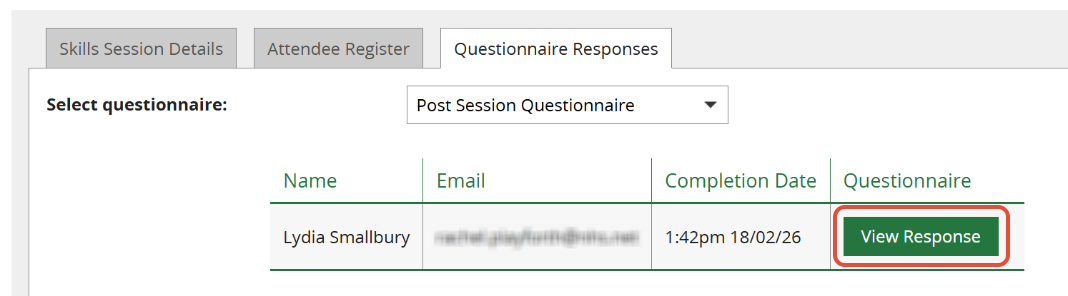
To view completed feedback for past sessions, search for or navigate to the session and select the Questionnaire Responses tab.
Select the questionnaire you want to view and click on View Response next to a Member's name.
Responses are also collated annually and sent as a spreadsheet to each team.
See below for a text version of the questionnaires.
Was this article helpful?
That’s Great!
Thank you for your feedback
Sorry! We couldn't be helpful
Thank you for your feedback
Feedback sent
We appreciate your effort and will try to fix the article