The My Members option under the Members menu only lists the members for whom you are the Assigned Librarian.
To see all Members registered with your LKS, you will need to use the Advanced Search.
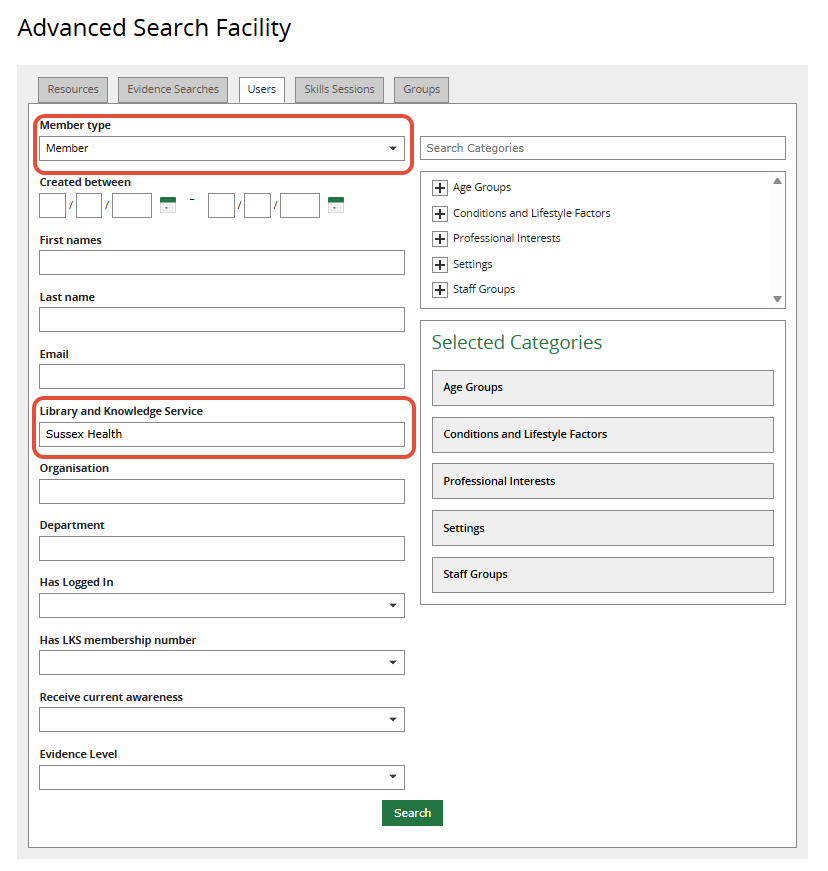
1. Click on Advanced Search.
2. Select the User tab.
3. In the Member type dropdown field, select Member.
4. In the Library and Knowledge Service field, start typing the name of your LKS on KnowledgeShare. Select when it appears.
5. Leave all other fields empty.
6. Click Search.
Was this article helpful?
That’s Great!
Thank you for your feedback
Sorry! We couldn't be helpful
Thank you for your feedback
Feedback sent
We appreciate your effort and will try to fix the article