Members who do not have an existing record on KnowledgeShare can create one through self-registration.
When a member from an organisation served by a single library service self-registers, KnowledgeShare uses their OpenAthens/institutional details to register them at that library service, via the steps below.
1. Member visits www.knowledgeshare.nhs.uk.
2. Member clicks on Log in link.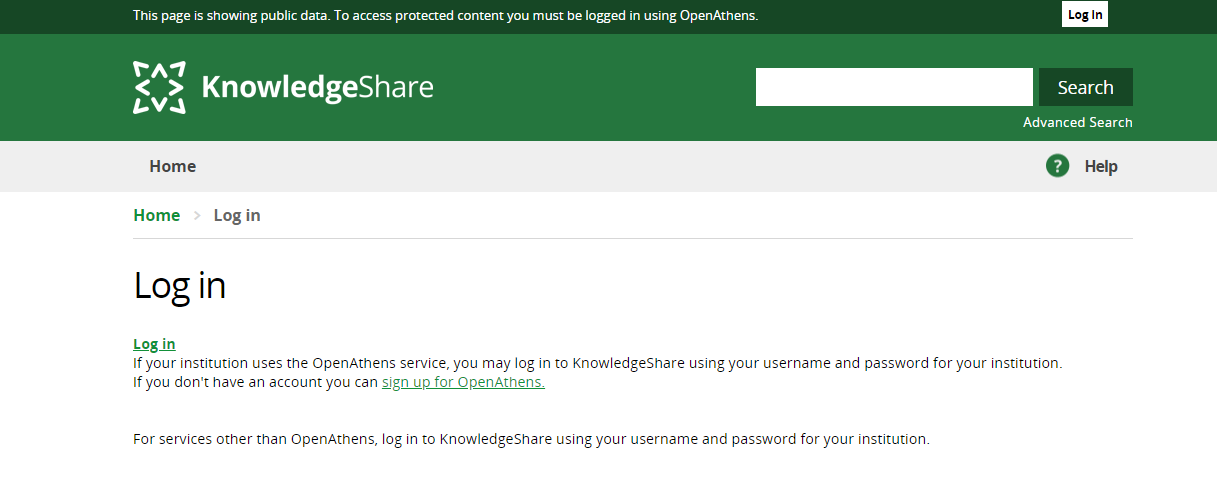
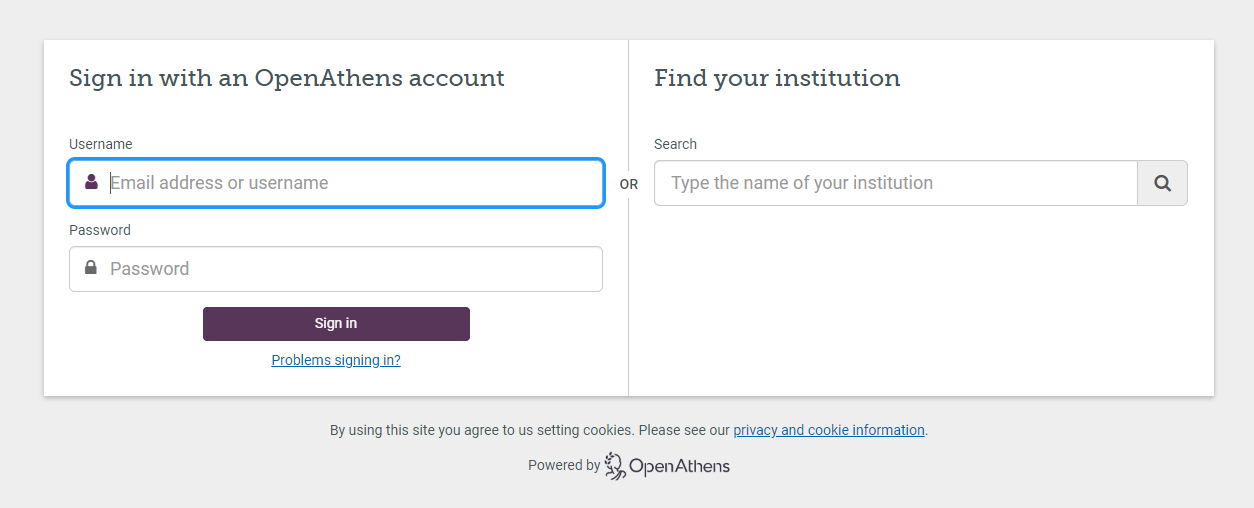
2. Member is given the option to enter their NHS OpenAthens username and password or find their institution.
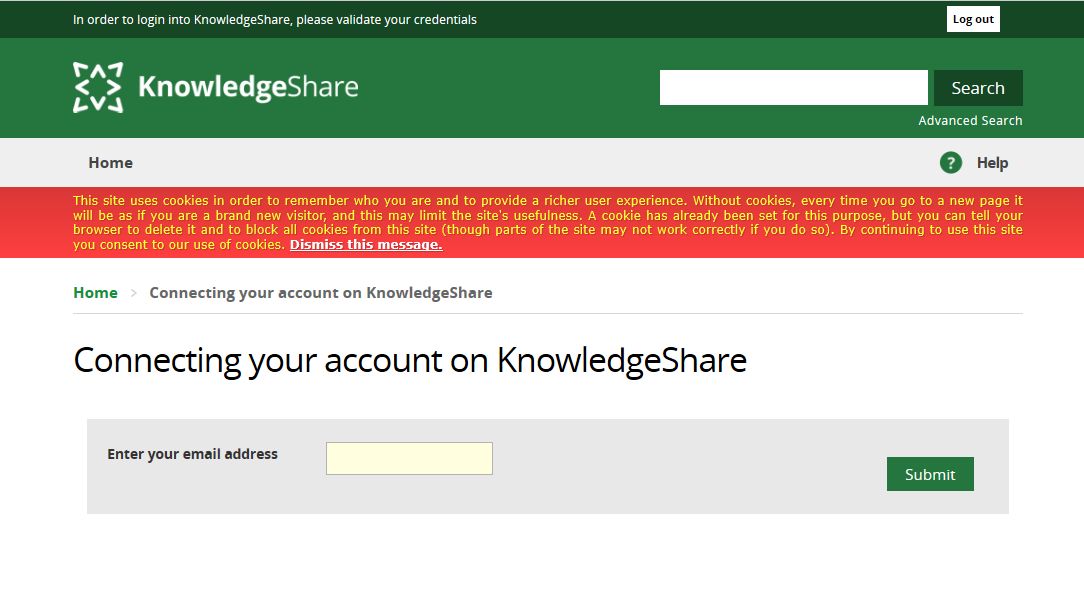
3. Member is taken back to KnowledgeShare to enter their email address.
4. If the email does not match an existing record they are given the option to Complete your registration or to re-submit their email address.
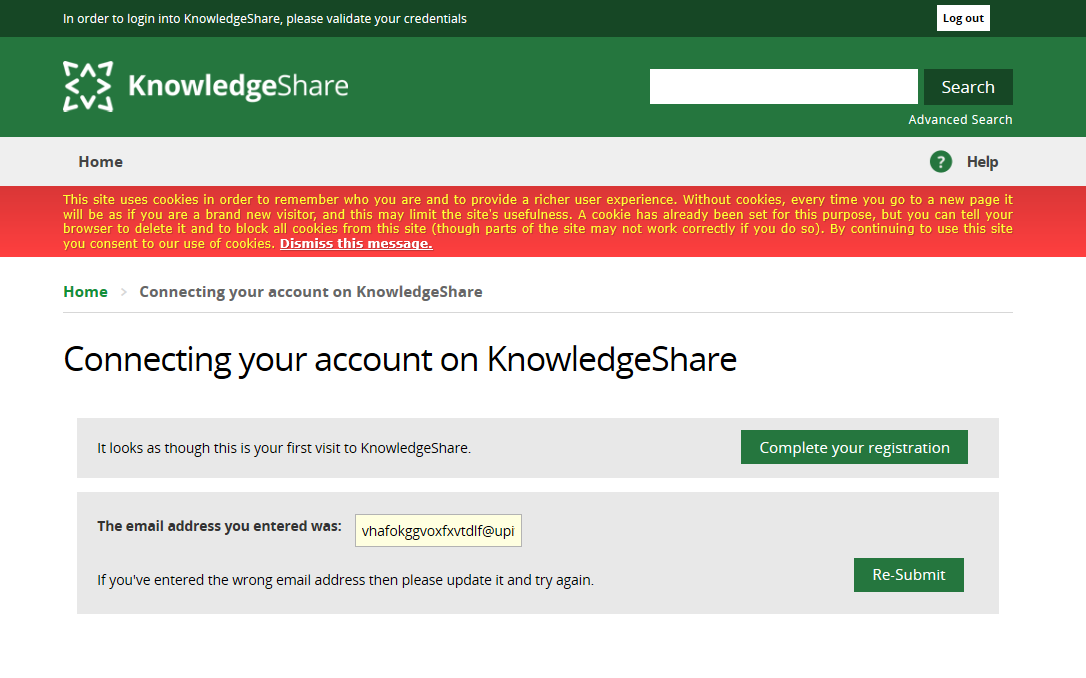
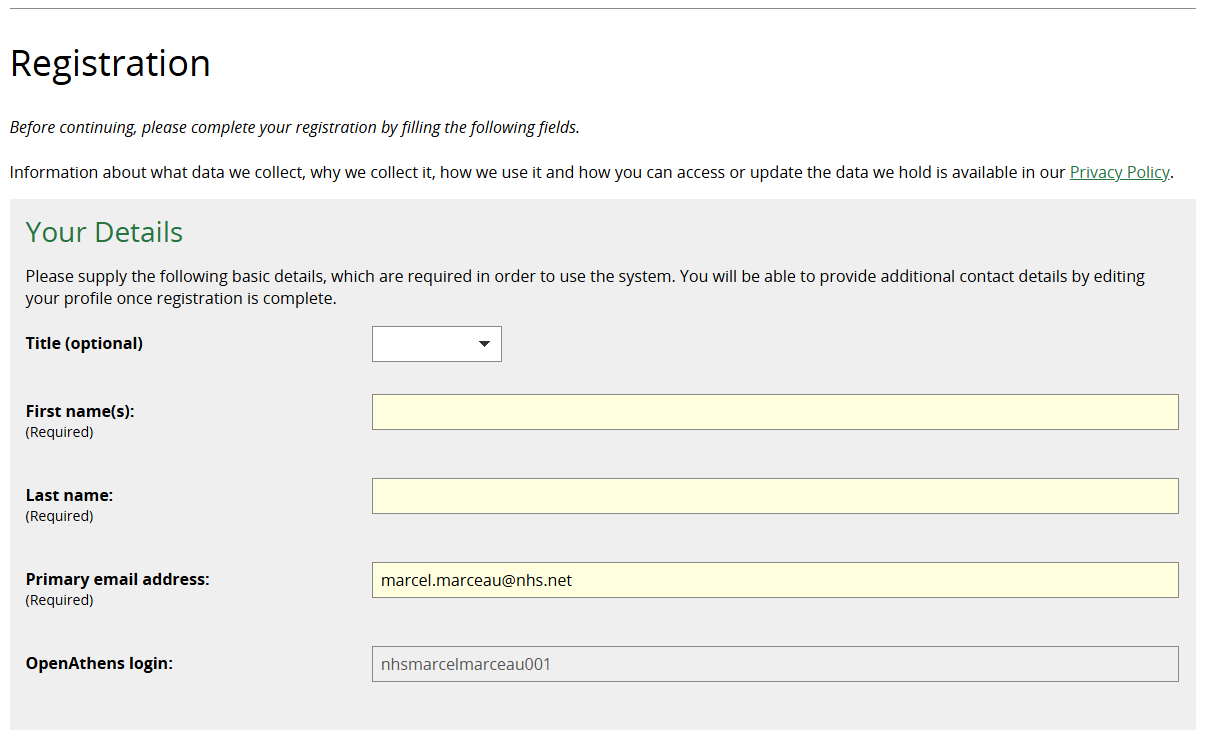
5. If the Member selects Complete your registration they are asked to supply their details. First name, last name and email address are required fields.
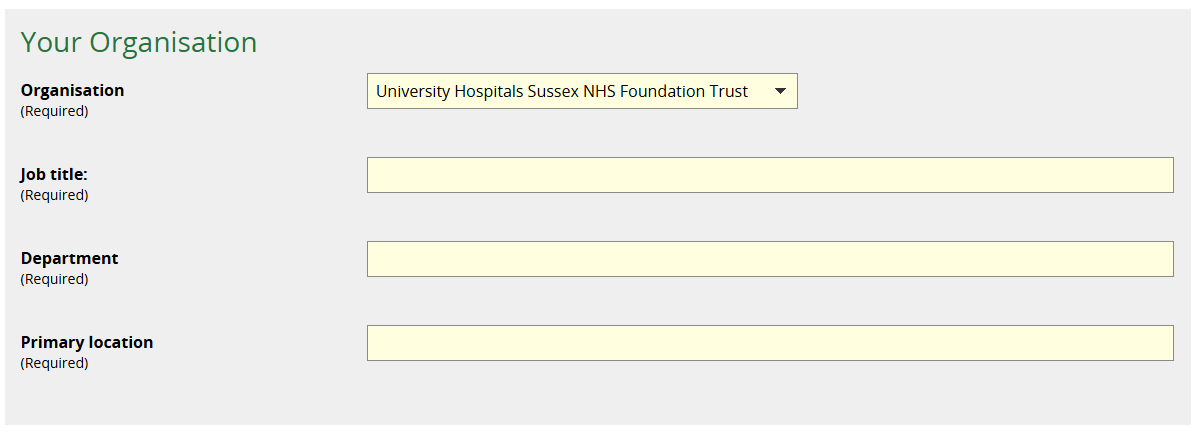
6. Member is asked to complete details about their role.
- Organisation
- Required field
- Pre-populated based on OpenAthens/institutional affiliation
- Job Title
- Required field
- Free text
- Department
- Required field
- The Member can only pick departments from the list
- Primary Location
- Required field
- The Member can only pick locations from the list
7. Member clicks Register.

8. Member is taken to their Privacy Notice page.
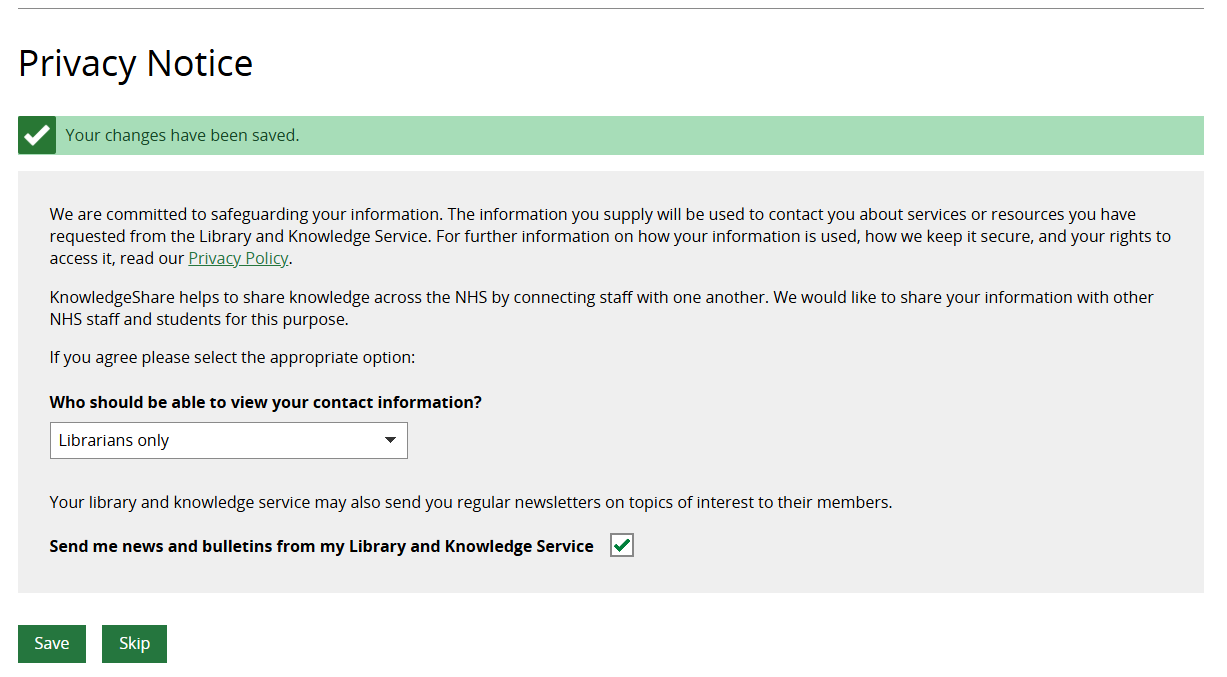
They have the option to change and Save their sharing and communication settings, or to Skip this page and keep the default settings.
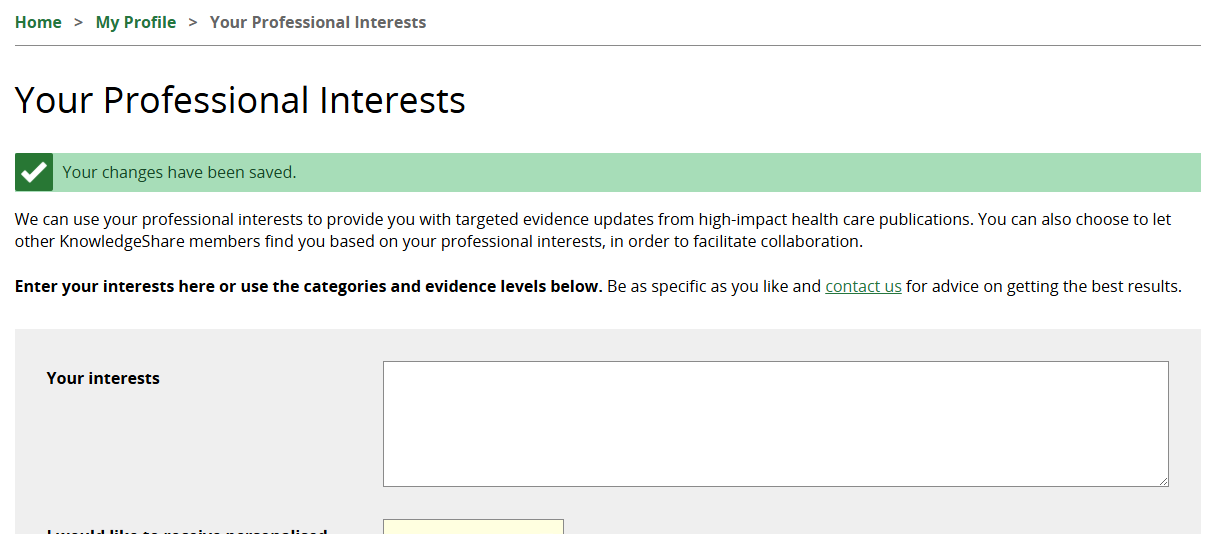
9. Member is taken to their Professional Interests page to request evidence updates if desired.
Notification when a Member self-registers
Staff with LKS Administrator permissions will receive an email if a Member self-registers and requests current awareness. They will also receive a weekly email report of all self-registered members.
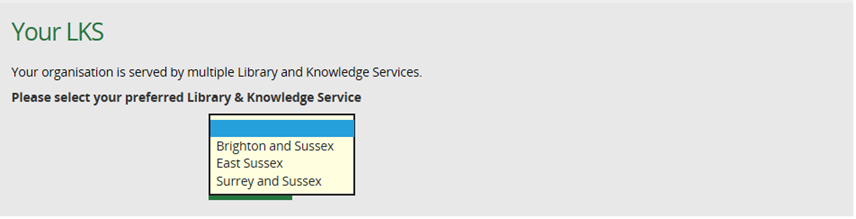
Member self-registration when an organisation is served by more than one LKS
As above, but they will be shown a list of options to select from on the Registration screen.
Was this article helpful?
That’s Great!
Thank you for your feedback
Sorry! We couldn't be helpful
Thank you for your feedback
Feedback sent
We appreciate your effort and will try to fix the article