The following main changes were included in the 30 January system update.
Journal Alerts
Bug fix: LKS Staff accounts can now have new journal alerts added, and unwanted titles removed.
Bug fix: The Assigned Librarian field can now be completed by selecting from the dropdown when adding a journal alert for a Member. They do NOT need to have an assigned librarian set on the professional interests page to receive journal TOC alerts.
Help section
A link to this support portal is now provided on every popup Help page when you are logged in as LKS staff. The Help popups have also been fully revised and updated with guidance for Members.
Evidence search reports
The ‘Access restriction’ field is now functional when adding or editing an individual search result. You can select the appropriate access note and this will form the text of the link instead of ‘More details’. 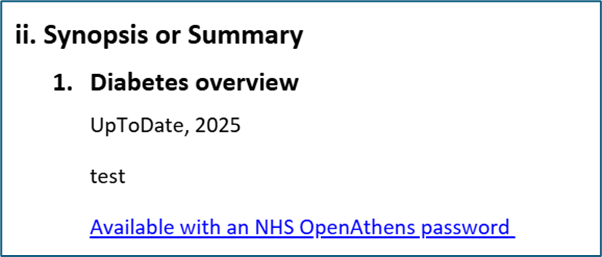 Nb this does not affect built-in links to LibKey/NHS Wales LibrarySearch, which are generated from the DOI field and are shown as ‘Check for full-text availability’.
Evidence search request form
The following text has been added to the request form: The results of this search may be published on KnowledgeShare for circulation to other healthcare staff and students. Your name will not be shared unless you give permission below. This provides greater transparency for users re the ability for library staff to turn completed searches into current awareness resources.
Privacy and settings
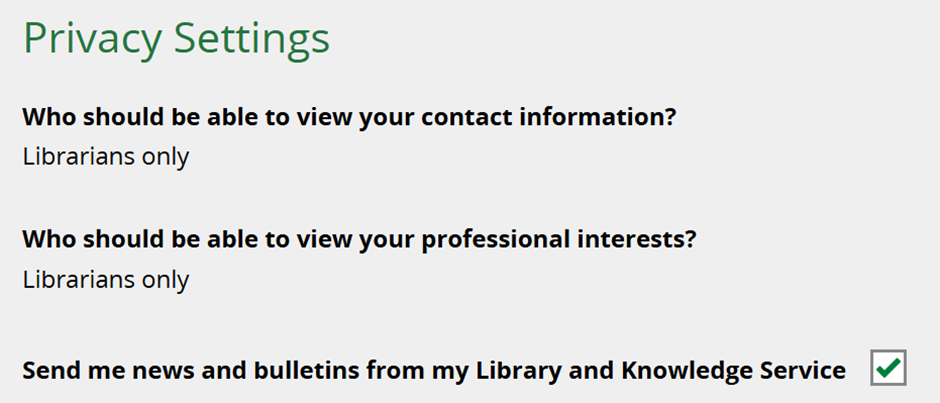
The sharing settings when LKS staff create a new Member record are now correctly greyed out and only editable by the Member. (The default setting is Librarians Only - the Member’s contact details and professional interests are only shared with library staff at their own LKS.)
The ‘Send me news and bulletins from my Library and Knowledge Service’ checkbox is ticked by default so Members can receive Newsletters, but LKS staff can now uncheck the box if a Member requests to opt out later and doesn’t want to log in to update their own settings.
Quick category URLs
The resource matching has been fixed so that resources restricted to other regions or organisations are not shown when creating a page using a quick URL.
Quick URLs allow you to display a page of recent resources matching a certain category, for the purposes of eg demonstration or promotion. Simply add the category name to the main KnowledgeShare URL after a forward slash. Login not required.
Eg https://www.knowledgeshare.nhs.uk/diabetes or https://www.knowledgeshare.nhs.uk/poverty
Let us know if you have any questions about these updates: support@knowledgeshare.freshdesk.com
Was this article helpful?
That’s Great!
Thank you for your feedback
Sorry! We couldn't be helpful
Thank you for your feedback
Feedback sent
We appreciate your effort and will try to fix the article