A Member can cancel their own booking by logging into KnowledgeShare.
If they contact the library team to cancel their session booking instead, it's important to action this on KnowledgeShare so they are not classed as Did Not Attend.
- Access the Skills Session they wish to cancel via the Forthcoming Skills Session page.
- Select the Attendee Register tab.
- In the Registered Attendees section, click Cancel next to the Member's name.
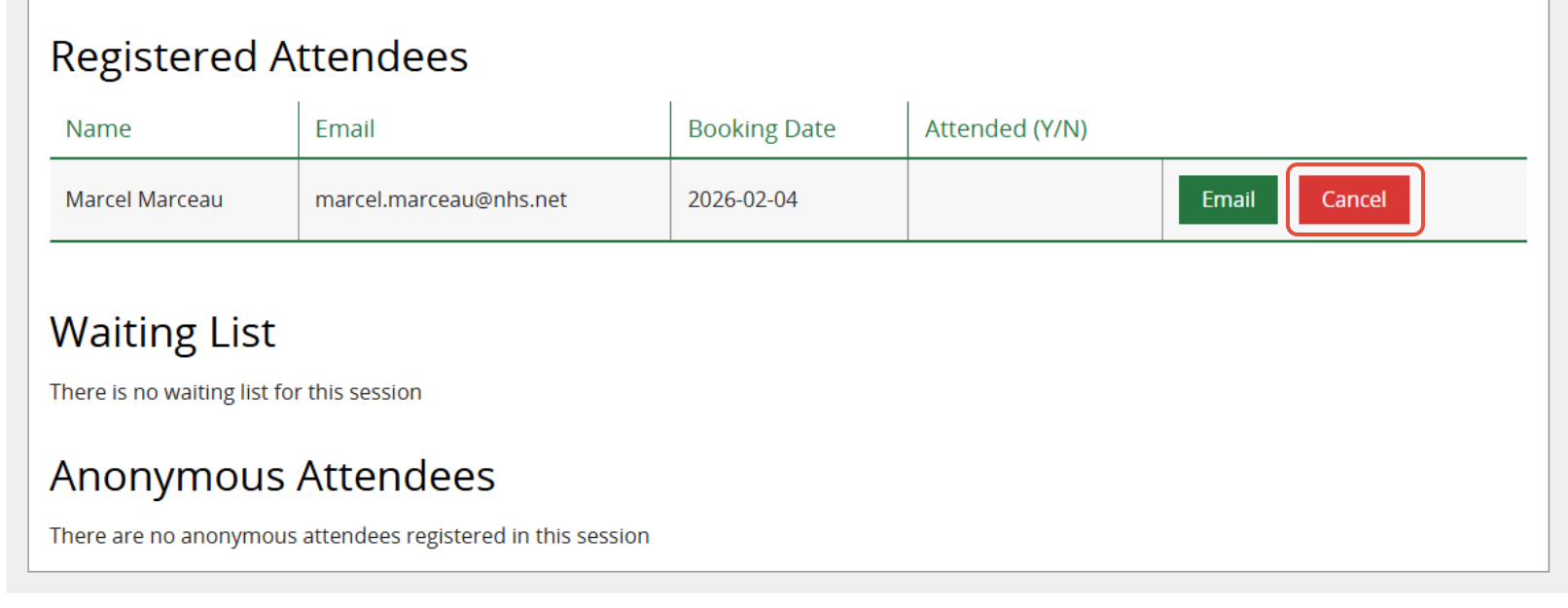
Email confirmations are sent to the Member and to the Session Leader and any additional Facilitators, confirming the member has cancelled their booking on the Skills Session.
Example member email
Dear Mr Hawk,
You have cancelled your booking for the following skills session:
Using Endnote
Use Endnote reference software to store and manage your references
02 March 2026, 1:00pm - 2:00pm. Library Training Room
If you would like to see other dates available for this skills session and book a place, you can login into KnowledgeShare at www.knowledgeshare.nhs.uk using your NHS OpenAthens username and password.
Best regards,
Nicola
Example facilitator email
Dear Elaine,
KnowledgeShare member Mr Mulberry Hawk has cancelled their booking for the following skills session:
Using Endnote
02 March 2026, 1:00pm - 2:00pm. Library Training Room
Best regards,
KnowledgeShare Administration
Was this article helpful?
That’s Great!
Thank you for your feedback
Sorry! We couldn't be helpful
Thank you for your feedback
Feedback sent
We appreciate your effort and will try to fix the article