If you wish to pause all email communication from KnowledgeShare for any reason, for example during sabbatical or maternity leave, then you can use the ‘Pause all KnowledgeShare emails function.
This applies to Evidence Updates and ToC's, and overrides all other email settings (Newsletters from your service will need to be disabled separately - See note at the bottom of this article)
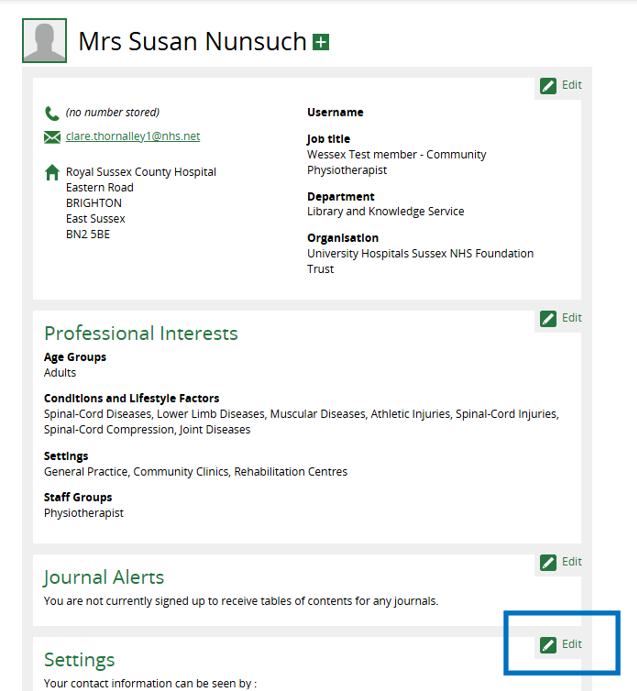
1. Go to the members profile record and select the Settings section:
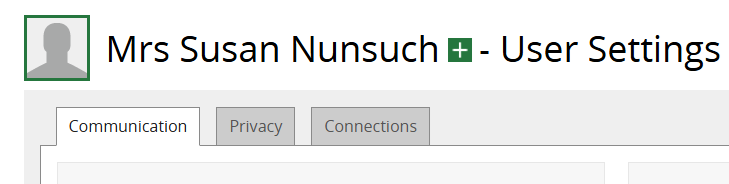
2. On the Communication tab, scroll down to Disable All E-mails:
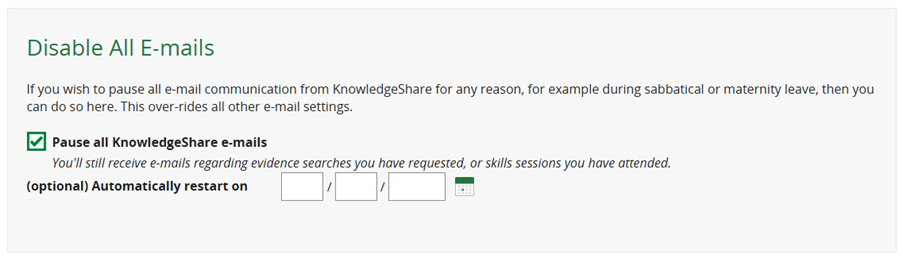
3. Check the box “Pause all KnowledgeShare emails”:
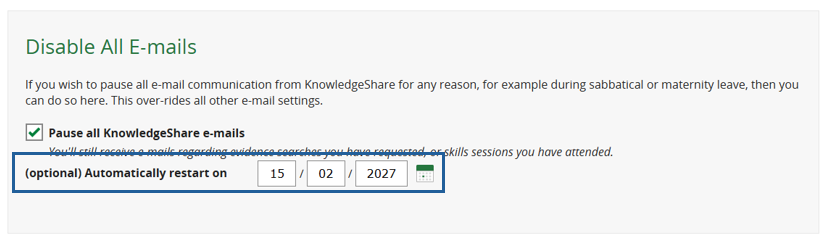
4. Enter a date for emails to resume automatically (alternatively, leave this blank and manually uncheck at a later date)
5. Scroll down and click Save
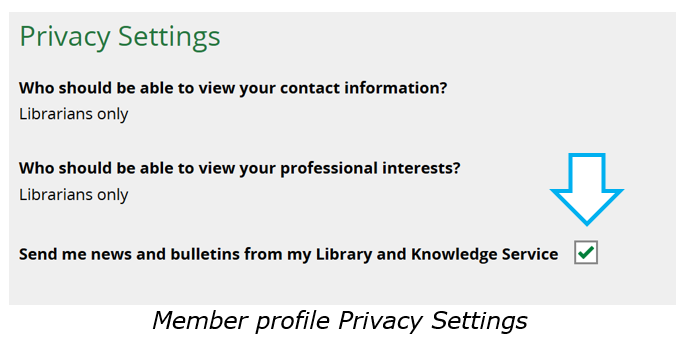
NOTE: To disable Newsletters from your service, uncheck the box next to Send me news and bulletins from my Library and Knowledge Service in the Privacy Settings of their member profile.
Was this article helpful?
That’s Great!
Thank you for your feedback
Sorry! We couldn't be helpful
Thank you for your feedback
Feedback sent
We appreciate your effort and will try to fix the article