The Export Members function allows staff with LKS Administrator permissions to export a list of all your LKS members as a CSV file.
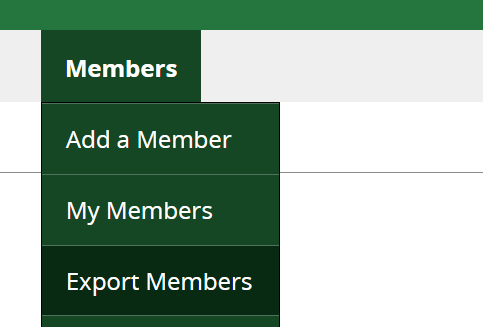
1. Click on Members > Export Members
2. On the Export Members page:
Export Format : select CSV
User type: select Members
Export from LKS: Select your LKS
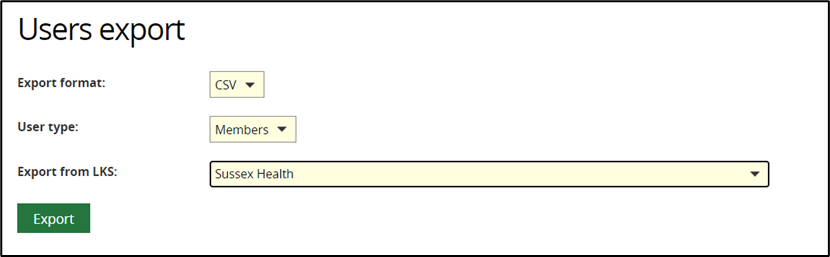
3. Click on Export.
The following columns are included in the exported CSV file:
OpenAthens PUID
Username
Title
First Name
Surname
Preferred Name
Phone
Email 2
Job Title
Organisation
Department
Job Group
Job Role
Primary Location
Address Line 1
Address Line 2
LKS Membership Number
Was this article helpful?
That’s Great!
Thank you for your feedback
Sorry! We couldn't be helpful
Thank you for your feedback
Feedback sent
We appreciate your effort and will try to fix the article