It is best practice before adding a new member to search to see if they already have a record on KnowledgeShare.
If the member is on KnowledgeShare but assigned to another library service they will have a Transfer Member button on their record.
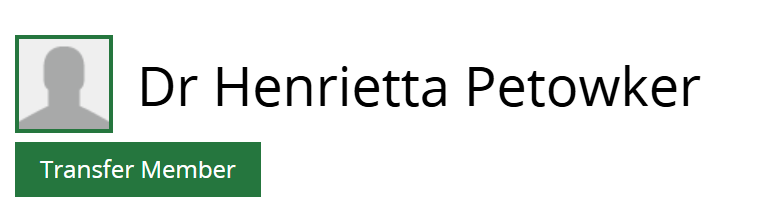
If a Member has joined your library service but still has a record elsewhere, you can request to transfer them rather than create a new record.
1. On the Member’s profile page click on Transfer Member.
2. Click Save on the popup message You are about to ask for a member transfer. Would you like to proceed?
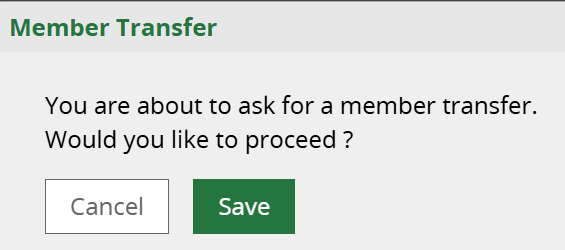
3. An email request will go to the Member’s former library service requesting the Member is unassigned so they can be assigned to the new library service. The email is sent to the LKS email address stored on the Manage LKS page so it can be actioned by anyone monitoring this email.
Subject Line: KnowledgeShare member transfer request
Dear Sussex Health Library and Knowledge Service,
Catherine Morland from Surrey and Sussex Library and Knowledge Services has requested that KnowledgeShare member Dr Henrietta Petowker be unassigned from your Library and Knowledge Service so that they can be transferred to Surrey and Sussex.
ACTION:
- Search for Dr Henrietta Petowker in KnowledgeShare
- In this member's record change their Library and Knowledge Service from Sussex Health to Member is no longer assigned to a LKS
Once you have unassigned member Dr Henrietta Petowker from your service, Catherine Morland at catherine.morland@nhs.net will be automatically emailed to confirm that they can now assign the member to their library service.
Many thanks for your help,
KnowledgeShare Admin.
------------------------------- Sent out by KnowledgeShare------------------------
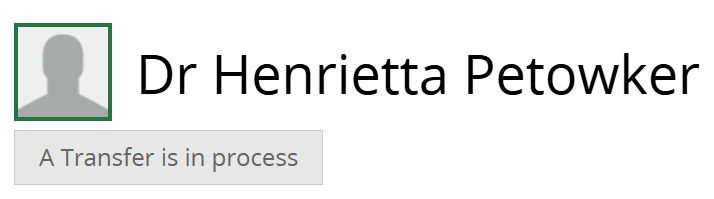
4. You will see the greyed out button A Transfer is in process on the Member’s profile until an action is taken by the Member’s former library service.
5. The former library service will have to unassign the member as requested in the email by clicking on Edit on the Personal Information section. In the Library and Knowledge Service dropdown list they select Member is no longer assigned to an LKS.
6. You will receive an email informing you that the Member has been unassigned.
Subject Line: KnowledgeShare member is now unassigned and available for transfer
Dear Catherine Morland,
KnowledgeShare member Dr Henrietta Petowker has now been unassigned from library service, Sussex Health by Rachel Playforth. You may assign this user your library service.
ACTION:
- Search for Dr Henrietta Petowker in KnowledgeShare
- Click the 'Assign to LKS' button at the top of this member's record
- Update this member's details for your Library and Knowledge Service
Many thanks for your help,
KnowledgeShare Administration
------------------------------- Sent out by KnowledgeShare------------------------
7. When you receive the email that the member has been unassigned, click on Assign to LKS on the Member's profile page.
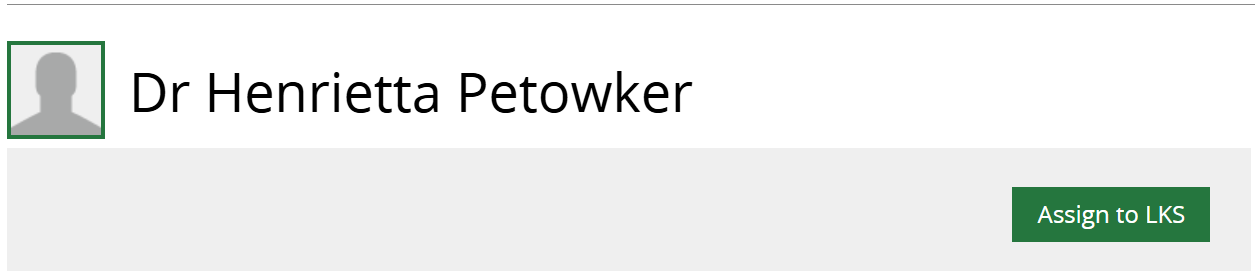
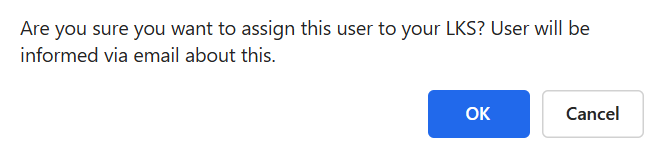
8. Click OK on the message Are you sure you want to assign this user to your Library and Knowledge Service? User will be informed via email about this.
9. An email will go to the member telling them they have been assigned to your Library and Knowledge Service. This is sent from you (ie the staff member who clicked on Assign to LKS).
Subject line: Welcome to your Library and Knowledge Service and KnowledgeShare
Dear Dr Petowker,
Welcome to your Library and Knowledge Service and KnowledgeShare. You have been added to the KnowledgeShare system, which we use to provide and manage your access to library services provided by Sussex Health.
Best regards,
Catherine Morland
Librarian | catherine.morland@nhs.net
Surrey and Sussex Library and Knowledge Service
------------------------------- Sent out by KnowledgeShare------------------------
See also How to refuse a Member transfer request.
Was this article helpful?
That’s Great!
Thank you for your feedback
Sorry! We couldn't be helpful
Thank you for your feedback
Feedback sent
We appreciate your effort and will try to fix the article