When a Member is unassigned from your LKS (or transferred to a new LKS) and they have an incomplete assigned search:
1. A red alert icon appears by the requester's name when viewing the evidence search. If the cursor is held over the icon a warning message appears.
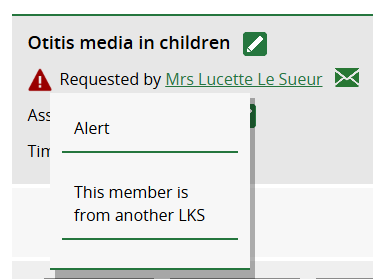
2. The librarian assigned to the search will receive an email notification with the subject line [Member name] has been unassigned from your LKS with an open Evidence Search.
3. Within your team, confirm that the Member has not been unassigned/transferred in error. Once you have confirmed they have left and no longer require the search, it can be cancelled.
When a member is unassigned from an LKS and they are booked on an upcoming Skills session:
1. A red alert icon appears by the attendee's name on the Attendee Register. If the cursor is held over the icon a warning message appears.
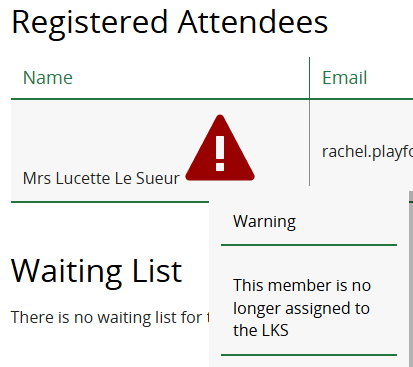
2. The session leader will receive an email notification with the subject line [Member name] has been unassigned from your library service and is booked on one of your skills sessions.
3. Within your team, confirm that the Member has not been unassigned/transferred in error. Once you have confirmed they have left and no longer require the Skills session, their booking can be cancelled.
Was this article helpful?
That’s Great!
Thank you for your feedback
Sorry! We couldn't be helpful
Thank you for your feedback
Feedback sent
We appreciate your effort and will try to fix the article